

The Best Free Stock Screener Apps in 2026: An Honest Comparison
Finviz, TradingView, your broker, and the paid scanners compared on what the free tier really gives you, including the 15-minute delay that decides it.
The best free stock screener for most people is Finviz, because the screener is the product and the screener is on the free tier. If you want screening welded to charts you already use, TradingView's free plan covers it. Need results that are current to the second? The only genuinely free real-time option is the scanner inside your own broker's platform. The paid tools start at $299.50 a year and climb past $2,000.
That last sentence is the whole decision. Almost every "best free stock screener" list treats these tools as if they differ on filter count. They barely do. They differ on data latency and on what happens after the list appears, and those two things decide whether a free screener is fine or useless for what you are doing.
Quick comparison
| Tool | Free tier gives you | Data on the free tier | Best for | Paid tier |
|---|---|---|---|---|
| Finviz | Full screener, ~70 filters, 50 saved presets, 20 results per page | Delayed | End-of-day and swing scans | Elite, $39.50/mo or $299.50/yr |
| TradingView | Screener plus charting, 1 chart per tab, 2 indicators per chart, 3 price alerts | Delayed unless you buy an exchange feed | Screening without leaving the chart | Essential through Ultimate, tiered |
| Your broker's scanner | Real-time scanning on your funded account's data | Real-time | Intraday, if you already have an account | Included |
| Trade Ideas | Nothing, it is paid only | Real-time | Professional intraday scanning | $127/mo or $1,068/yr, Premium $254/mo |
| Barchart, Yahoo, TipRanks | Basic screens, watchlists | Delayed | Quick lookups, fundamentals | Varies |
Read that table as a latency ladder, not a feature ladder. Everything in the free column is the same product with different paint. The paid column is buying one of exactly two things: a faster feed, or someone else's opinion about which rows matter.
What "free" actually costs you, and it is not filters
The free tier of every web screener runs on delayed data, usually 15 minutes behind. That is not a limitation the companies invented to upsell you. Exchanges license their quote feeds, and a redistributor either pays for the real-time entitlement and passes the cost on, or gives the delayed feed away. Finviz is explicit that Elite is where "real-time" quotes live and that the free tier is delayed, and that Elite is also what buys you premarket data from 4 a.m. and aftermarket data to 8 p.m. You are not paying $39.50 a month for more filters. You are paying for a clock.
Whether that clock matters depends entirely on your holding period, and this is where most screener advice goes wrong by refusing to pick a side. For a swing trader scanning after the close for setups to take tomorrow, a 15-minute delay is meaningless. The bar is already printed. The float, the average volume, the 52-week position, the distance from the 200-day moving average: none of those numbers move in 15 minutes in any way that changes your list. Free is genuinely, completely fine. Paying for real-time data to run an end-of-day scan is burning $300 a year on nothing.
For a day trader hunting stocks in play at 9:47 a.m., a 15-minute delay makes the tool actively misleading. Relative volume is the filter that matters intraday, and 15 minutes is most of the opening range. A name that shows as 3x relative volume on a delayed screen may have already run and rolled over by the time you look at it, and a name that just started moving will not appear at all. This is not a mild degradation. It is a scan of a market that no longer exists.
One complication: "real-time" is itself a spectrum. The SEC's 2020 market data infrastructure rules expanded what counts as core consolidated data to include odd-lot quotations at or inside the national best bid and offer, and depth of book out to five price levels beyond the NBBO. The same release revised round lot sizes by price, so a stock over $10,000 quotes an NBBO in single shares while one under $250 still uses 100. Different vendors consume different slices of that, which is why two "real-time" scanners can disagree about the same stock's volume in the same minute. Comparing free tools? The delay is the question. Comparing paid ones? Ask what feed they actually consume.
Finviz, best free screener for end-of-day and swing scans
Finviz is the answer to the "best free stock screener" question more often than any other tool, for an unglamorous reason: the screener, its strongest feature, is not paywalled. You get descriptive filters (market cap, sector, industry, country), fundamental filters (P/E, EPS growth, debt to equity, institutional ownership), and technical filters (relative volume, average volume, gap, distance from moving averages, 52-week range position, pattern recognition) on the free tier, and you can save up to 50 presets.
What Elite adds is worth naming precisely, because the upgrade pitch is usually vague. According to Finviz's own Elite page, the paid tier brings real-time quotes, premarket and aftermarket coverage, unlimited intraday charts, a 12-chart multi-layout, unlimited saved presets, 100 results per page (free caps you at 20), unlimited email and push alerts across price, news, ratings, insider trading, and SEC filings, CSV and Excel export, and no ads. At $39.50 a month or $299.50 billed annually, that is roughly $25 a month on the yearly plan.
The weakness of free Finviz is not the delay, which you can plan around. It is the 20-results-per-page cap combined with no export. If your screen returns 180 names, you are paging through nine screens and retyping tickers into a watchlist by hand. That is a real tax on a nightly routine, and it is the thing that eventually pushes people to Elite far more than the data feed does. The fix is free: tighten the screen until it returns fewer than 20 rows. Most screens that return 180 names are badly specified anyway, which is a point worth its own section below.
TradingView, best free screener if you already live on the chart
TradingView's screener is not better than Finviz's on filters. It is better on what happens next. You click a row and you are on the chart, with your drawings, your layout, and your alerts, which is the step where a screen actually turns into a trade idea. If you are already charting there, screening anywhere else means copying tickers between tabs.
The free plan's limits are the thing to check against your workflow before you commit to it. Per TradingView's pricing page, the free Basic plan gives you one chart per tab, two indicators per chart, three price alerts, no technical alerts, and 5,000 historical bars. Essential (around €12.95 a month billed annually on the page we checked) moves that to two charts, five indicators, and 20 alerts each; Plus gives four charts, 10 indicators, and 100 alerts; Premium gives eight charts, 25 indicators, and 400 alerts; Ultimate gives 16 charts, 50 indicators, 1,000 alerts, and 40,000 bars.
Bar chart of indicators allowed per chart on each TradingView plan: Basic 2, Essential 5, Plus 10, Premium 25, Ultimate 50.
Two indicators per chart is the limit people hit first. If your setup is a 9 and 20 EMA plus VWAP, you are already over on the free plan. Three price alerts is the second. A swing trader watching eight levels cannot run on three alerts, and there is no free way around it.
Note also that TradingView's free data is delayed for most US equities unless you buy the exchange feed separately, which is billed on top of the plan. That catches people who upgrade to Plus expecting real-time quotes and get faster software on the same slow feed. For the fuller picture on what free charting does and does not include, we went through it in free live stock charts.
Your broker's scanner, the only genuinely free real-time option
This is the option the listicles skip, because nobody earns an affiliate commission on it. If you have a funded brokerage account, you almost certainly already have a real-time scanner inside the platform, entitled through your account, with no separate data subscription to buy. Schwab's thinkorswim has a deep scanner with custom study filters. Interactive Brokers' mover scanners are real-time and free with the account. Webull's screener runs on real-time data on the free app.
The honest weakness is that broker scanners are generally worse software than the dedicated tools. The filter libraries are narrower, the interfaces are older, saved-scan management is clunky, and there is usually no good way to export. Finviz on a delayed feed is a nicer experience than thinkorswim's scanner on a live one. But for intraday work, nicer software on stale data loses to clunky software on current data every time. Learn the ugly tool; it beats spending $300 a year to avoid it. We compare the broker platforms themselves on execution and cost in the best app for day trading.
One caveat, and it belongs in this section. FINRA is blunt that frequent intraday trading, especially on margin, is not appropriate for people with limited financial resources, limited experience, or low risk tolerance, and it notes you must keep a minimum of $2,000 in equity to trade on margin at all. Its guidance states plainly that you should be prepared to lose some of, and potentially more than, what you deposited. A real-time scanner does not change any of that. It finds faster-moving stocks, which cuts both ways.
Trade Ideas, the honest look at the paid end
Trade Ideas is the tool people name when they say "real scanner," and it is worth understanding what you would actually be buying. Its pricing page lists Standard at $127 a month or $1,068 a year, which includes real-time data, 10 charts on screen, real-time paper trading, in-app trading, customizable scans, and more than 500 data points available as alert and filter conditions. Premium runs $254 a month or $2,136 a year and adds AI signals, backtesting, automated trading, and multi-strategy windows.
Bar chart of annual cost billed yearly for real-time screening tools: Finviz Elite $300, Trade Ideas Standard $1,068, Trade Ideas Premium $2,136.
Put that next to a realistic account. On $25,000, the Premium plan is 8.5% of the account per year in fixed cost before a single commission. You would need to clear 8.5% just to break even on the software. That is not an argument against the tool, which does things nothing free can. It is an argument that the tool is priced for accounts where $2,136 is a rounding error, and most retail accounts are not that. Start free, find out whether your bottleneck is actually the scan, and buy the scanner only when you can point at a specific missed trade it would have caught.
Build a screen that returns three names, not three hundred
The most common complaint about screeners is not about any particular app. It is that they hand you every knob and no method. One trader put it precisely in a thread about what a perfect screener would look like: the problem is that they "dump 50 sliders on your screen" and "give you zero direction," handing you "all the ingredients with no recipe," so you end up tweaking numbers in analysis paralysis. That is a design complaint, but the fix is on your side of the screen, and it makes a free screener behave like an expensive one.
Order your filters so each one does real work. Start with a liquidity floor, because it removes the most rows for the least thought: average volume over some minimum you will actually trade, often 500,000 shares, and a price floor around $3 to $5 to stay out of names where the spread eats the trade. Add the thing that makes today different from yesterday, which intraday is relative volume above 2 and for swing setups is usually a gap, a 52-week-range position, or a distance from a moving average. Only then add the specific character of your setup. Three to five filters in that order routinely take 6,000 tickers to under 20.
A screen that returns 180 names is not a good screen with too many hits. It is a screen missing its differentiating filter, and no amount of paid data fixes that. This is also the fastest way around free Finviz's 20-row page cap: a screen tight enough to be useful fits on one page. The full filter-by-filter version, with the numbers traders actually set them to and how a premarket scan differs from one at 11 a.m., is in our day trading scanner setup guide.
Where Quant AI fits
Quant AI is not a screener and will not replace one. It does not rank 6,000 tickers or run overnight scans. It does the step after: you send it a screenshot of a chart, and it marks the trend, the support and resistance levels it finds, and the pattern or setup it reads, in a few seconds, with no account to open and no chart template to build.
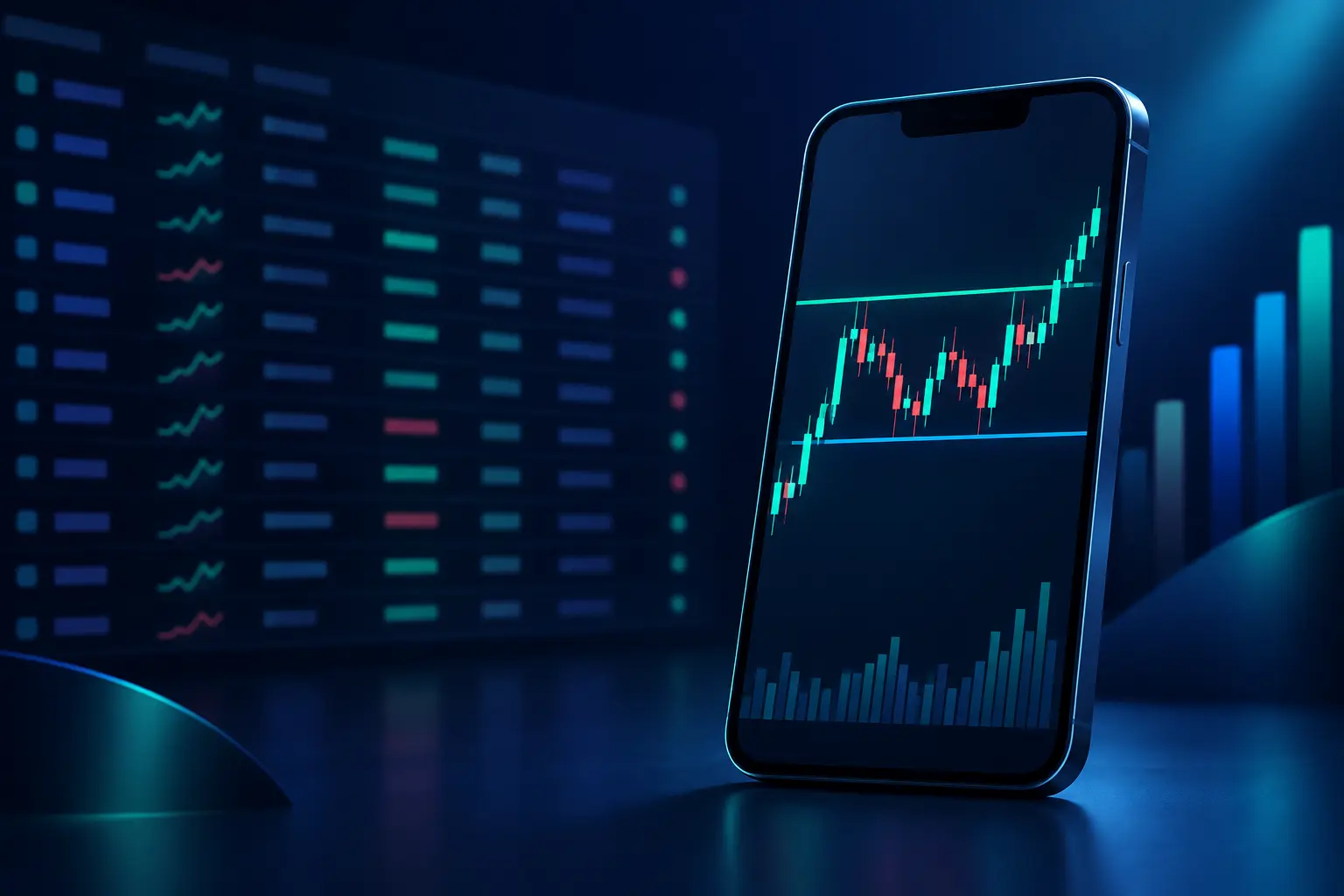
That is the bottleneck for most people using a free screener. The scan gives you 12 names; deciding which three are worth watching means pulling up 12 charts and reading each one, and that is where a nightly routine dies. Sending a screenshot and getting a structural read back is faster than drawing the levels yourself, and it is a second opinion on a chart you already formed a view about.
What it does not do: it does not know your position size, it has no view on the fundamentals behind the ticker, it cannot tell you whether the level it marked will hold, and it is not advice about what to buy. Want the scanner to also place the trade or run the automation? That is a broker's job, or a platform like Trade Ideas. Related reading if you want the pattern-reading side specifically: the best apps for stock patterns.
How to choose
Scanning after the close for swing setups? Use free Finviz and stop reading comparison posts. The delay costs you nothing, the filter set is complete, and the only real friction is the 20-row page cap, which a tighter screen fixes.
Already charting on TradingView? Screen there. Check the free plan's two-indicators-per-chart and three-alerts limits against your actual setup before assuming free is enough. A fourth alert is your upgrade trigger. The screener itself will not be what pushes you.
Day traders should use the broker's built-in scanner. It is the only free tool with a feed that matches the clock you trade on. Learn the ugly interface. It beats a beautiful screen of 15-minute-old data.
Have you tracked specific trades you missed because your scan was too slow or too coarse? and the number is bigger than $300 a year, buy Finviz Elite. Past $1,068, with intraday breadth as your genuine bottleneck, look at Trade Ideas. Buy the scanner last, after you know what it is fixing.
Common mistakes
Paying for real-time data to run end-of-day scans. The most common upgrade, and it buys nothing. A scan that runs at 8 p.m. gets identical results from a delayed feed and a real-time one.
Treating the screener's hit list as a watchlist. A screen is a filter, not a recommendation. Twelve rows is where your chart reading starts. A name that passes every filter can still sit in a structure you would never trade.
Collecting filters. More filters is not a better screen. Each one you add is another assumption you have to be right about, and screens with 11 conditions tend to be overfitted to whatever worked last month.
Screening on fundamentals for intraday trades, or on relative volume for a six-month hold. Match the filter's timescale to your holding period. A P/E ratio tells you nothing about the next 40 minutes, and relative volume tells you nothing about next March.
Frequently asked questions
Is the TradingView screener free? Yes. The screener works on the free Basic plan. The limits you will notice are one chart per tab, two indicators per chart, and three price alerts, plus delayed data for most US equities unless you separately buy the exchange feed.
Is the Finviz screener free? Yes, and the screener is the strongest part of the product. Free gives you the full filter set and 50 saved presets. Elite at $39.50 a month adds real-time and premarket and aftermarket data, unlimited intraday charts, 100 results per page, alerts, and export.
Is there a real-time stock screener that is actually free? Yes, inside your broker. A funded account usually entitles you to real-time scanning in the platform at no extra cost. Standalone web screeners that show real-time quotes for free are rare, because the vendor has to pay for the exchange entitlement.
What is the best free stock screener app for day trading? Your broker's scanner, because of the data feed. For building and saving the scan logic itself, Finviz free is better software, so many day traders design the screen in Finviz and then rebuild it in the broker scanner for live use.
How many filters should a screen have? Usually three to five. A liquidity floor, something that makes today different, and the specific character of your setup. If a screen returns hundreds of rows, it is missing the second one.
Do free screeners miss stocks? They miss recent moves, not listings. A 15-minute delay means a stock that started moving 10 minutes ago is invisible to the scan until the feed catches up. Coverage of the listed universe is broadly the same on free and paid tiers.
The bottom line
Free is enough for most people, and the deciding question is not which app but which clock. Scan after the close and free Finviz is the whole answer. Screen inside your charting and TradingView's free plan works until you need a fourth alert. Trade intraday and the free real-time scanner in your broker beats any delayed web screener regardless of how much nicer it looks. The paid tools are real and they do things free ones cannot, but buy them against a specific bottleneck you have measured. A vague sense that you are missing something is not a bottleneck.
None of it changes what happens after the list appears. The screen narrows 6,000 names to a dozen; reading those dozen charts is still the work, and it is still the part that decides whether the trade is any good.








