

The Best Technical Analysis Software in 2026: 8 Charting Platforms Compared Honestly
TradingView, TrendSpider, thinkorswim, StockCharts, TC2000, Sierra Chart and more, with the plan limits, data fees, and the tier a real workflow needs.
The best technical analysis software for most traders is TradingView: it charts every stock, crypto, and forex market in one place, its scripting language has the largest library of community indicators, and the free plan is usable. TrendSpider is the pick if you want the software to draw trendlines and flag patterns for you. Thinkorswim gives the deepest free toolset if you already hold a Schwab account. StockCharts suits end-of-day analysts, TC2000 is built around scanning US stocks, and Sierra Chart and NinjaTrader are where futures traders go for order flow. MetaStock is still around for people who live in its system tester.
That is the shortlist. The useful part of the answer is that the headline price of a charting platform rarely matches what you end up paying. Most of these products sell the same charts at four or five tiers, and the tier you need is set by one or two limits: how many indicators fit on a chart, how many alerts you can keep running, or the shortest timeframe the scanner will touch. Then market data gets billed on top. This comparison goes through each platform's published limits and fees, all taken from the vendors' own pricing pages in October 2026, and then works one ordinary workflow through four of them to show which tier it actually lands on.
Quick comparison
| Software | Best for | Platforms | Entry paid price | The catch |
|---|---|---|---|---|
| TradingView | All-round charting across every market | Web, desktop, mobile | €12.95/mo billed annually (euro list) | Free plan allows 2 indicators per chart; extra exchange data costs more |
| TrendSpider | Automated trendlines, pattern recognition, backtesting | Web, mobile | $59 to $89/mo after the intro discount | Standard tier scans and backtests no lower than 2-hour bars |
| thinkorswim | Deep free toolset for Schwab clients | Desktop, web, mobile | Free with a Schwab account | Dense interface; tied to the broker |
| StockCharts | End-of-day chart analysis and annotated ChartLists | Web | $19.95/mo | Real-time US data is a separate $9.95/mo |
| TC2000 | Scanning and sorting US stocks | Windows, Mac, web, mobile | $24.99/mo | Real-time scanning starts at the $49.99 Premium plan |
| Sierra Chart | Futures order flow and market depth | Desktop | $26/mo | Real-time exchange data is extra; steep learning curve |
| NinjaTrader | Free futures charting and simulation | Desktop, web, mobile | Free to chart | Built around its own futures brokerage |
| MetaStock | System testing and end-of-day research | Desktop | Not published on its product page | Older design, priced by quote and data package |
Prices change often and some vendors run first-year discounts, so treat the column as a snapshot and check the linked pricing pages before you pay.
What separates technical analysis software from a charting app
Any free app can draw candles. Technical analysis software earns the name by what it lets you do with them, and six capabilities separate the platforms below more than the look of the charts does.
The first is data: which markets you can chart in real time, how much intraday history loads, and whether the feed is included or billed per exchange. The second is the indicator library and whether you can write your own; a platform with a scripting language (Pine Script on TradingView, thinkScript on thinkorswim, ACSIL on Sierra Chart) never runs out of indicators, because users build the missing ones. Third is scanning, the ability to sweep a whole market for a condition in one pass. Fourth is backtesting, which tells you how a rule behaved on past data. Fifth is alerts, and the number you can keep live at once. Sixth is where it runs: browser, Windows only, or phone.
Most traders need two or three of the six, and that decides the pick faster than any feature grid. A swing trader who reads daily charts after work needs clean end-of-day data, good drawing tools, and a handful of alerts. A day trader needs real-time data and fast intraday scanning. A futures trader reading order flow needs market depth that only a few platforms handle well. Buying the platform that does all six well means paying for four you will not open.
One warning before the reviews. Backtesting and pattern detection are the features most likely to be oversold, by vendors and by your own hopes. A backtest describes how a rule did on data it was tuned on, and a rule tuned on the past often fails on new data. Software can count a pattern; it cannot tell you the next one will work. Weigh those features as research tools, never as a source of edge.
TradingView: best all-round technical analysis software
TradingView is the default for good reasons. One account charts US and international stocks, crypto, forex, and futures, the drawing tools are the best of the group, and Pine Script has produced a public library of community indicators large enough that almost any indicator you read about already exists there. If you only buy one platform, this is usually it.
The limits are what push people up the tiers. According to TradingView's pricing page, the free Basic plan allows 1 chart per tab, 2 indicators per chart, 3 price alerts, and 5,000 bars of history. Essential raises that to 2 charts, 5 indicators, 20 price alerts, and 10,000 bars. Plus gives 4 charts, 10 indicators, and 100 alerts; Premium 8 charts, 25 indicators, 400 alerts, and 20,000 bars; Ultimate 16 charts, 50 indicators, 1,000 alerts, and 40,000 bars. The euro price list the page served when we checked ran from €12.95 a month for Essential to €199.95 for Ultimate, billed annually. Dollar prices are set separately by region, so check the page from your own location.
Bar chart of how many indicators TradingView allows on one chart by plan: Basic (free) 2, Essential 5, Plus 10, Premium 25, Ultimate 50.
The 2-indicator cap on the free plan matters more than it sounds. A volume study plus one moving average uses it up, so anyone who wants RSI and two moving averages on the same chart is already on a paid tier. Real-time data is the other cost: TradingView says extra real-time exchange data is bought separately, needs a paid plan, and works only on the TradingView website, with embedded widgets excluded. Its weak spots are scanning, which is serviceable but shallower than TC2000's, and automation, where TrendSpider does far more out of the box. If you want a gentler starting point with TradingView's free tier, our guide to the best apps to read stock charts for beginners covers it from that angle.
TrendSpider: best for automated trendlines and pattern recognition
TrendSpider's pitch is that the software does the drawing. Its pricing page lists automated trendlines and Fibonacci levels, chart pattern recognition, backtesting, multi-factor alerts, and trading bots on every plan, with the tiers differing in usage limits. That makes it the strongest choice here for traders who want candidate levels and patterns marked across many symbols without drawing each one.
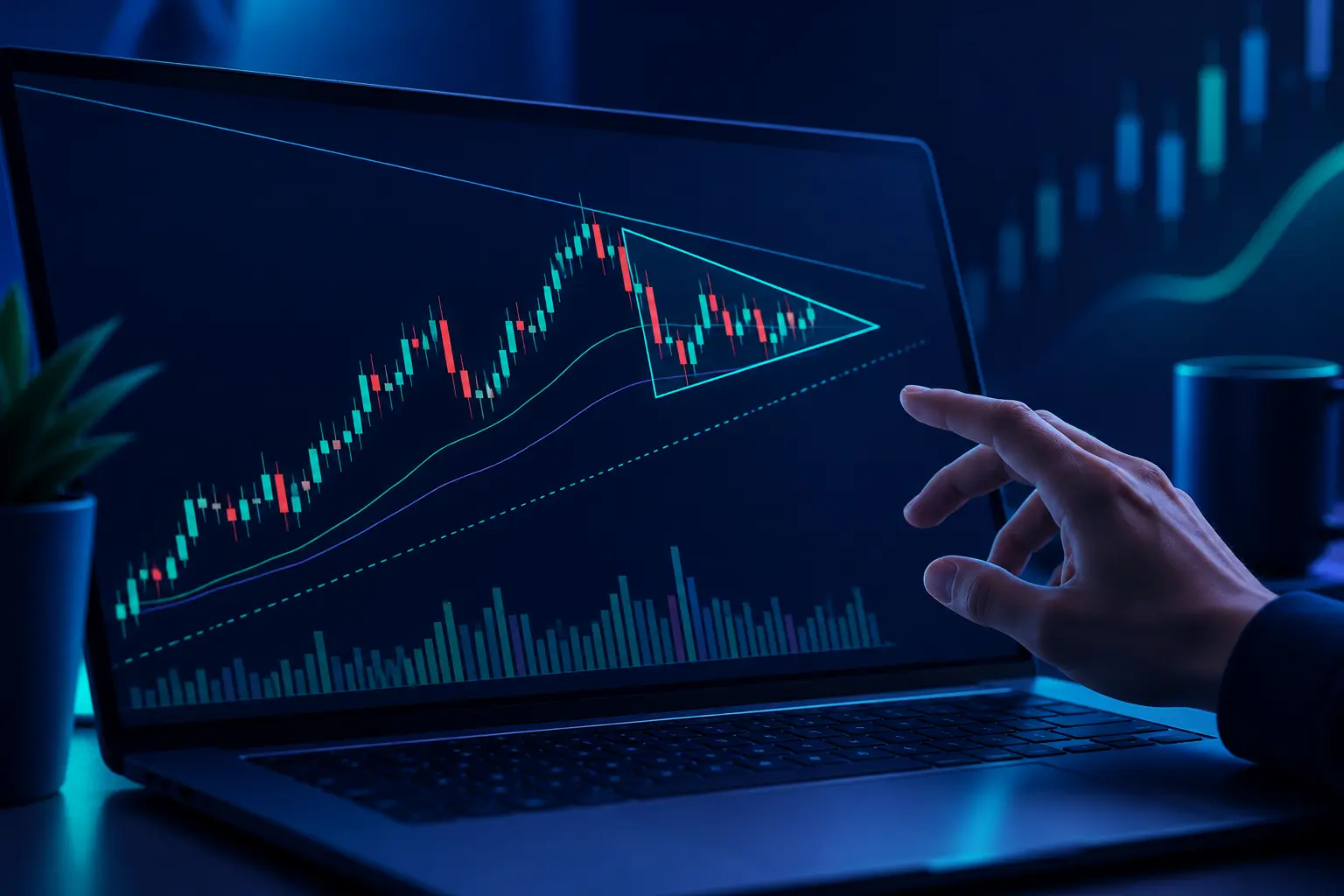
The limits deserve a close read. On the Standard plan, the lowest backtesting timeframe is 2-hour bars with 2,000 bars of depth, the lowest scanning timeframe is also 2 hours, and you get 10 active alerts that last 30 days. Premium drops both scanning and backtesting to 5-minute bars and raises alerts to 50; Enhanced and Advanced reach 1-minute bars with 100 and 400 alerts. So an intraday trader who wants to scan 5-minute charts cannot do it on Standard at all. The page showed first-year discounts in October 2026, with the regular monthly ranges listed as $59 to $89 for Standard, $99 to $149 for Premium, $133 to $199 for Enhanced, and $233 to $349 for Advanced. US stock and ETF data is free for non-professional users; futures data is $7.50 a month and OPRA options data $9.50.
TrendSpider is also moving fastest on AI. Its September 2026 changelog added a Sidekick strategy builder that generates strategy ideas, backtests them in parallel, and ranks the results, plus an Extended Session indicator that plots premarket and postmarket highs and lows on regular-hours charts. The changelog is explicit that Sidekick can view and start bots but cannot create bots that place trades. Treat a ranked list of auto-generated strategies with extra suspicion: the more variations a tool tests, the more likely the winner is a fit to noise.
The friction point traders mention is migration. A trader weighing alternatives in a September 2026 r/TradingView thread noted that "TrendSpider seems to have a unique way of handling drawing sessions and patterns, so certain indicators might not work in the same way compared to TradingView." If your process depends on a specific Pine Script indicator, check that TrendSpider has an equivalent before you commit.
thinkorswim: best free depth if you have a Schwab account
Thinkorswim is the most capable free platform on this list, with the condition that it comes with a Schwab brokerage account. The desktop version has hundreds of built-in studies, a full options analysis suite, and paperMoney, a simulated account built into the platform. Schwab's Learning Center describes thinkScript as "a built-in programming language that gives you the capability of creating your own analysis tools," and lists what it can build: custom studies, strategies for backtesting, watchlist columns, alerts, conditional orders, and scan queries in Stock Hacker.
That last item is the underrated one. Conditional orders written in thinkScript let a study condition place or cancel an order, which is automation most standalone charting tools leave to a third-party bot. Combined with Stock Hacker scans and the options tools, thinkorswim covers more of the workflow for free than anything else here.
The cost is the interface. It is dense, the desktop app is heavy, and new users routinely take weeks to feel at home. It is also tied to the broker, so it makes less sense as a pure analysis tool if you trade elsewhere. For options traders the depth is hard to beat.
StockCharts: best for end-of-day chart analysts
StockCharts is a charting service with no brokerage attached, and it has a loyal following among swing and position traders who analyze daily and weekly charts and keep annotated lists of them. Its ChartLists, its point-and-figure and relative rotation charts, and its ChartSchool education library are the main draws.
The StockCharts pricing page lists a free tier with 3 indicators and 3 overlays per chart, 1 ChartList, 2 price alerts, and BATS real-time data for US stocks with delayed data elsewhere. Basic costs $19.95 a month and raises the limits to 25 indicators and 25 overlays per chart, 250 ChartLists, and 100 price alerts. Extra is $29.95 and PRO $49.95. Full real-time US data is a separate $9.95 a month, so a Basic subscriber who wants it pays $29.90.
The trade-off is speed. StockCharts is excellent for reading a chart after the close and weaker as a live day-trading screen, and it has no order entry at all. For a trader whose decisions happen on daily bars, that is not a loss.
TC2000: best for scanning US stocks
TC2000 is built around one task: finding US stocks that meet a condition, quickly, and sorting the results. Its EasyScan wizard and Personal Criteria Formulas let you define conditions like "closed above the 50-day average on above-average volume" and run them across the market.
The TC2000 pricing page lists three plans. Basic, at $24.99 a month, includes real-time US stock data through Nasdaq Basic, charting, streaming watchlists, news, and paper trading. Premium, at $49.99, adds real-time scanning and sorting, EasyScan, the formula language, drawing tools, multi-monitor support, and 100 alerts. Premium Plus, at $99.99, adds live auto-refreshing filters, market-pulse indicators, and 1,000 alerts, with a cap of 5 server-side streaming scans running at once. Real-time US options and indexes are $9.99 a month each, and the consolidated tape is $14.99.
Read that list closely and the scanning-focused tool's scanning starts at Premium. Basic is a charting and watchlist plan. TC2000 also covers only US stocks and options, so a multi-asset trader will still want something like TradingView beside it.
Sierra Chart: best for futures order flow on a budget
Sierra Chart is a desktop platform that futures traders choose for speed, market depth, and order flow tools such as volume-at-price and Numbers Bars. It looks dated and the configuration has a steep learning curve, but it is fast and inexpensive for what it does.
Its service packages page lists five tiers. Package 3, Base Standard, is $26 a month; Package 5 adds advanced features such as the TPO study, Numbers Bars, and the Market Depth Historical Graph for $36. The Integrated packages, which connect to outside brokers and data services such as Interactive Brokers, CQG, and Rithmic, run $36, $46, and $56 a month, the top one adding Market by Order data. Sierra Chart's own Denali data feed is supported on Packages 10, 11, and 12, and exchange fees apply to real-time data. Every package includes simulated trading.
Two cautions. Real-time CME futures data carries exchange fees on top of the package, so the $26 figure is never the full bill for live futures. And order flow tools show what traded, not where price is going; reading them well takes months of screen time. Test the whole setup, data feed included, during a trial before you count on it for a live session.
NinjaTrader: free futures charting and simulation
NinjaTrader's site states that it is "always free to use for advanced charting, backtesting and trade simulation," and it runs on desktop, web, and mobile. For a futures trader who wants to learn on a simulator before funding an account, that is a low-cost way in, and its order flow tools put it in the same conversation as Sierra Chart.
The model is a brokerage model: NinjaTrader makes its money when you trade futures through it, and its European site lists commissions starting at $0.09 per trade. Pricing, licensing, and commissions differ by region, so check the version of the site for your country. If you do not trade futures, the platform has little to offer you over TradingView or thinkorswim. We compared futures platforms in more depth, including NinjaTrader's stop automation, in our guide to the best futures trading platforms with stop loss orders.
MetaStock: the old-guard system tester
MetaStock has been around for decades and its product page describes "hundreds of indicators, market scans, and time-tested systems" in two main versions: MetaStock R/T for real-time intraday work with Refinitiv XENITH data and news, and MetaStock D/C for end-of-day and swing traders using continuous-delayed data across global stocks, forex, futures, and commodities. A market of third-party add-ons sells extra systems and indicators from named analysts.
Its product page does not publish prices; you pick a data package and buy. It suits a trader who already knows its formula language and Explorer scans and wants global end-of-day data. For a new trader in 2026, the browser-based platforms above are easier to start with and easier to leave.
What a real workflow costs
Feature grids hide the question that sets the price: which tier does your own routine need? Take one ordinary workflow, labelled here as an illustrative example, with no recommendation implied. A trader watches US stocks, wants the market scanned each morning for stocks closing above their 20-day high on volume at least 1.5 times average, keeps 15 to 20 alerts live on levels, and occasionally backtests the breakout rule on daily bars.
Run that through the published limits:
- TradingView. Scanning on daily bars is fine on any tier, but 15 to 20 alerts outgrow the free plan's 3 and fill Essential's 20, so Plus, with 100, is the comfortable fit.
- TrendSpider. A daily-bar scan and backtest work on Standard, whose limits are 2-hour bars. Standard's 10 active alerts fall short of 20, and they expire after 30 days, which pushes this trader to Premium at $99 to $149 a month after the intro period.
- TC2000. The real-time scan needs Premium at $49.99, which also brings the 100 alerts. Basic cannot run it.
- StockCharts. Basic at $19.95 covers 200 scans and 100 price alerts, and daily-bar work does not need the $9.95 real-time add-on, so this trader's bill can stay at $19.95.
The same routine costs anywhere from $19.95 to well over $100 a month depending on the platform, and the reason is never the charts. Change one detail, say the trader wants to scan 5-minute bars during the session, and the ranking changes: StockCharts drops out as a live tool, TrendSpider needs Premium for 5-minute scans, and TC2000 Premium's real-time scanning becomes the point.
Bar chart of entry monthly cost in US dollars with real-time US stock data where needed: StockCharts Basic plus real-time add-on $29.90, TC2000 Basic $24.99, TC2000 Premium for real-time scanning $49.99, TrendSpider Standard after intro discount from $59, Sierra Chart Integrated Standard before exchange fees $36.
The practical move is to write your routine down before you look at plans: the markets, the shortest timeframe you scan, the number of alerts you keep live, and whether you backtest. Then match those four numbers to each pricing page. It takes ten minutes and usually saves a tier.
Where Quant AI fits
Every platform above gives you the chart and the tools and leaves the read to you. Quant AI does the read. You take a screenshot of a chart from any of these platforms, or from a broker app or a post someone shared, and it marks what it finds: the trend, the support and resistance levels, and the setup if one is forming, in a few seconds, with no account or chart setup. Because it works from the image, it does not care which platform drew the chart, and it is a quick second opinion on a chart you are already looking at. If you want to see how that works on patterns specifically, our guide to detecting chart patterns from a screenshot walks through it.
What it is not: technical analysis software in the sense this page uses. It has no live data feed, no scanner, no alerts, and no backtester, so it does not replace any of the platforms above. Its read is an analysis, never a forecast or a promise, and a clean setup can still fail. The workflow that makes sense is a charting platform for the data and scanning, and Quant AI to check your reading of the charts that scan turns up.
How to choose
Start from the job:
- You want one platform for every market and good free charts: TradingView. Budget for a paid tier the moment you want more than 2 indicators per chart.
- You want the software to draw trendlines and flag patterns across many symbols: TrendSpider, on Premium or higher if you trade intraday.
- You already have a Schwab account, or trade options: thinkorswim, free, with thinkScript for custom studies and conditional orders.
- You analyze daily and weekly charts after the close: StockCharts Basic is the cheapest solid option.
- Your edge is finding US stocks that meet a condition: TC2000 Premium.
- You trade futures and want order flow: Sierra Chart for low cost and speed, NinjaTrader if you want free charting with its brokerage.
- You want to check your read of a chart, not chart it: Quant AI, on top of any of the above.
Most experienced traders end up with two tools: one main platform and one specialist. TradingView plus TC2000 for a stock scanner, or TradingView plus Sierra Chart for futures depth, are common pairings. If your style is longer-term, our comparison of the best apps for swing trading narrows the list further.
Common mistakes when choosing charting software
- Paying for the top tier on day one. Most traders use a fraction of what Premium-level plans include. Start one tier below what you think you need and upgrade when a specific limit stops you.
- Forgetting the data bill. Platform fees and exchange data fees are separate on StockCharts, Sierra Chart, TC2000's add-ons, and TradingView's extra exchanges. Add them up before comparing.
- Buying a backtester to find an edge. A backtest shows how a rule did on past data. Rules tuned to look good on history routinely fail on new data, and auto-generated strategy rankings make that worse. Use backtests to kill bad ideas, not to prove good ones.
- Switching platforms to fix a process problem. If your trades are losing because entries are late or stops are too tight, new software will chart the same losses in a nicer font.
- Ignoring the learning curve. Sierra Chart and thinkorswim reward months of use. If you will not put in the time, a simpler tool used well beats a deep one used badly.
- Assuming a free plan is real-time. Free tiers often show delayed or single-exchange data. A 15-minute delay is fine for reading daily charts and useless for day trading.
Frequently asked questions
What is the best chart analysis software?
For most traders, TradingView, because it covers every major market, has the deepest community indicator library through Pine Script, and has a usable free plan. The better answer depends on the job: TrendSpider for automated analysis, thinkorswim for free depth with a Schwab account, TC2000 for US stock scanning, and Sierra Chart for futures order flow.
What do traders use instead of TradingView?
The most common alternatives are TrendSpider for automation, thinkorswim for a free broker-linked platform, StockCharts for end-of-day analysis, TC2000 for scanning, and Sierra Chart or NinjaTrader for futures. Many traders keep TradingView and add one of these rather than replacing it, partly because indicators do not always carry over between platforms.
Is there free technical analysis software that is actually good?
Yes. TradingView's free plan, thinkorswim with a Schwab account, and NinjaTrader's free charting and simulation are all capable. The limits are what you give up: TradingView's free plan allows 2 indicators per chart and 3 price alerts, thinkorswim requires the brokerage account, and NinjaTrader is focused on futures.
Do I need real-time data for technical analysis?
Only if you trade intraday. A swing trader reading daily charts can work on end-of-day or delayed data without losing anything. A day trader needs real-time data for the markets they trade, and that is often where the extra monthly fees come from.
Is TrendSpider worth it over TradingView?
It is worth it if you will use the automation: automatic trendlines and Fibonacci levels, pattern recognition across many symbols, and multi-factor alerts. If you mostly draw your own levels on a few charts, TradingView does that for less. Check TrendSpider's tier limits first, since Standard scans and backtests no lower than 2-hour bars.
Which charting software is best for futures?
Sierra Chart and NinjaTrader are the usual choices for futures traders who read order flow and market depth. Sierra Chart is inexpensive and fast but needs configuration; NinjaTrader is free to chart and simulate and makes its money through its futures brokerage. TradingView is fine for reading futures charts but is not built around depth of market.
Can software find chart patterns automatically?
Several can. TrendSpider includes chart pattern recognition on every plan, and other tools flag candlestick and chart patterns in scans. Treat the flags as candidates to review rather than signals, because pattern detection is sensitive to settings and a detected pattern can still fail. Quant AI takes the other route and reads the pattern on a screenshot of one chart you choose.
Is MetaStock still worth buying in 2026?
For a trader already fluent in its formula language and system tester, it remains a capable end-of-day research tool with global data packages. For a new trader, browser-based platforms are easier to learn, and MetaStock does not publish its prices on its product page, so getting a quote is part of the process.
The bottom line
TradingView is the best technical analysis software for most traders, and the right pick for you comes down to the job. Pick TrendSpider for automation, thinkorswim for free depth with a Schwab account, StockCharts for end-of-day work, TC2000 for scanning US stocks, and Sierra Chart or NinjaTrader for futures. Before you pay, write down your markets, your shortest scan timeframe, and your alert count, and match them to the pricing pages; that decides the tier more reliably than any review. No platform on this list makes a setup more likely to work. They make it faster to find and check, and the trading decisions, and the risk, stay yours.





